See it in action
The interface designed for speed. No clunky CRM feels.
app.360connect.my
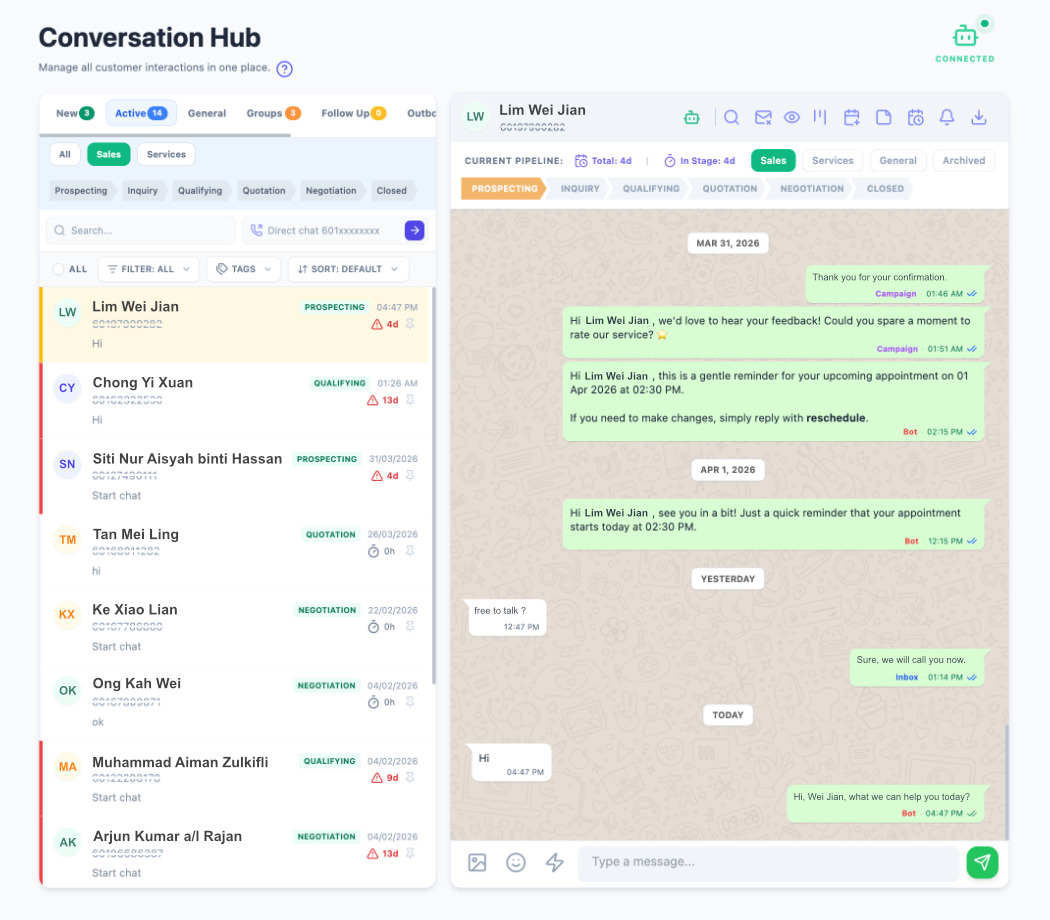
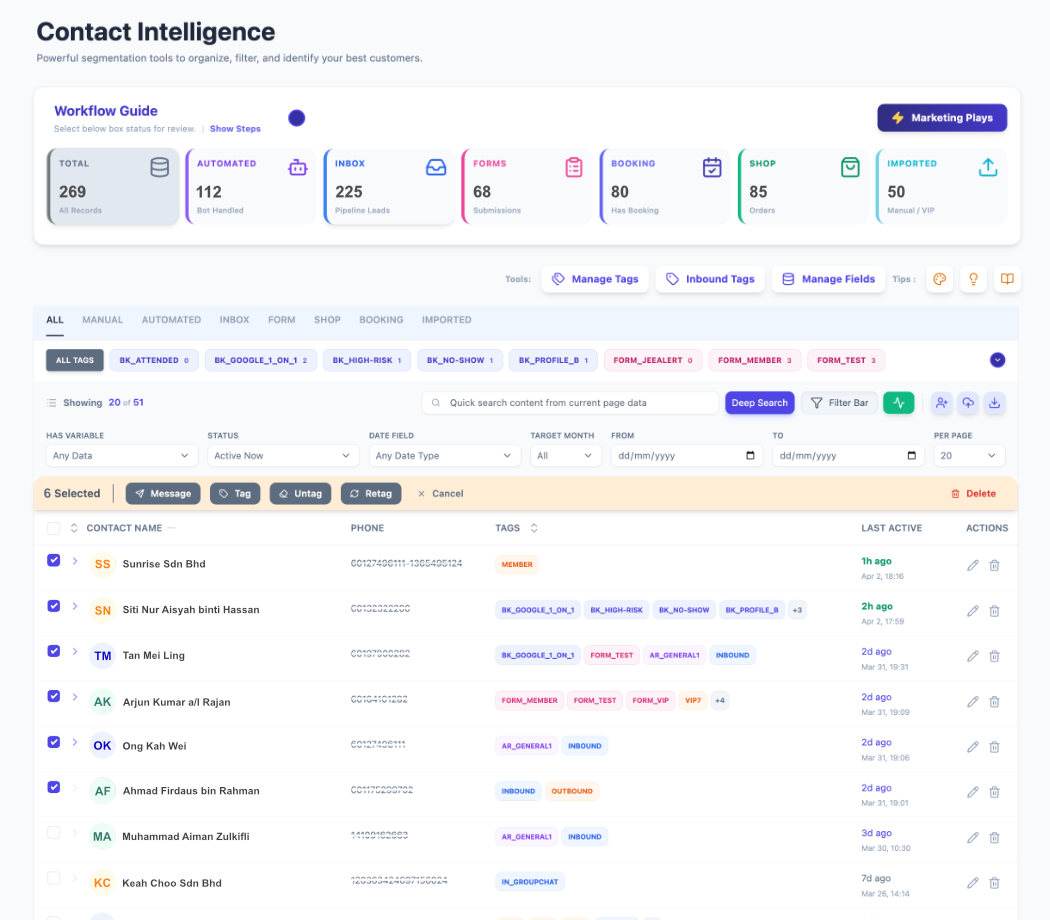
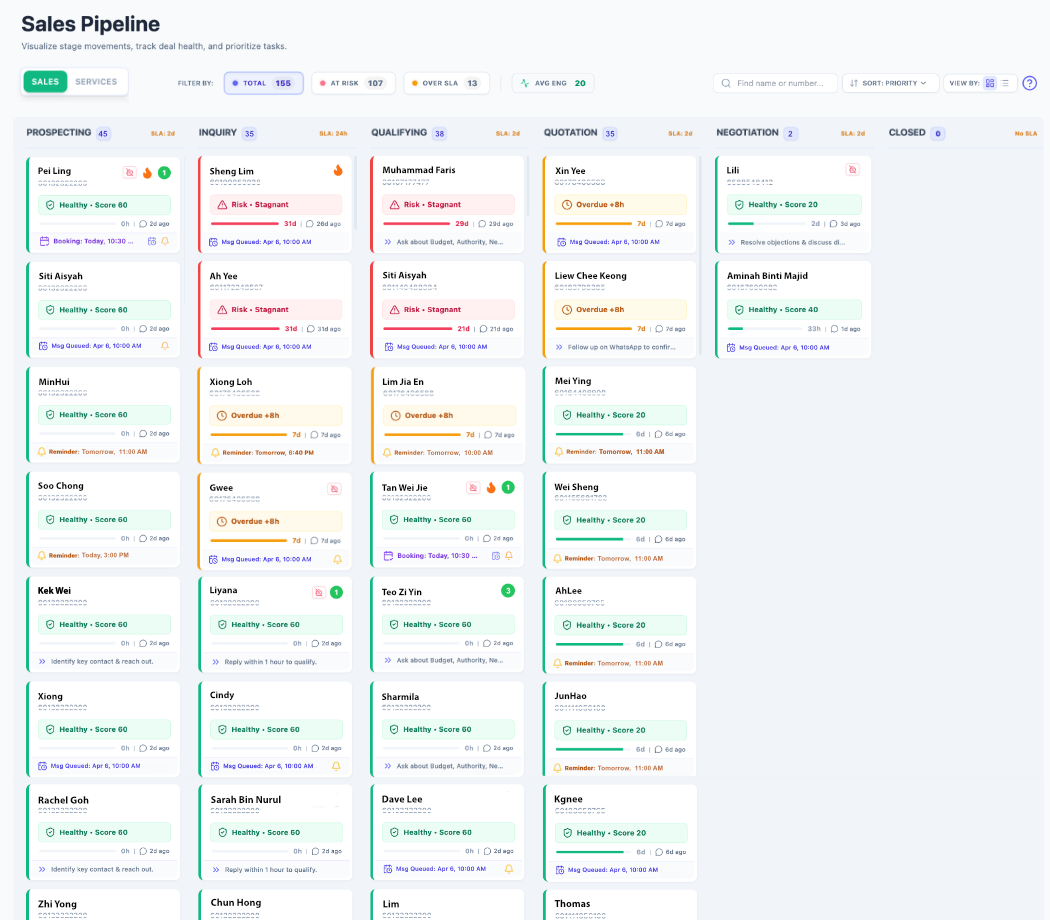
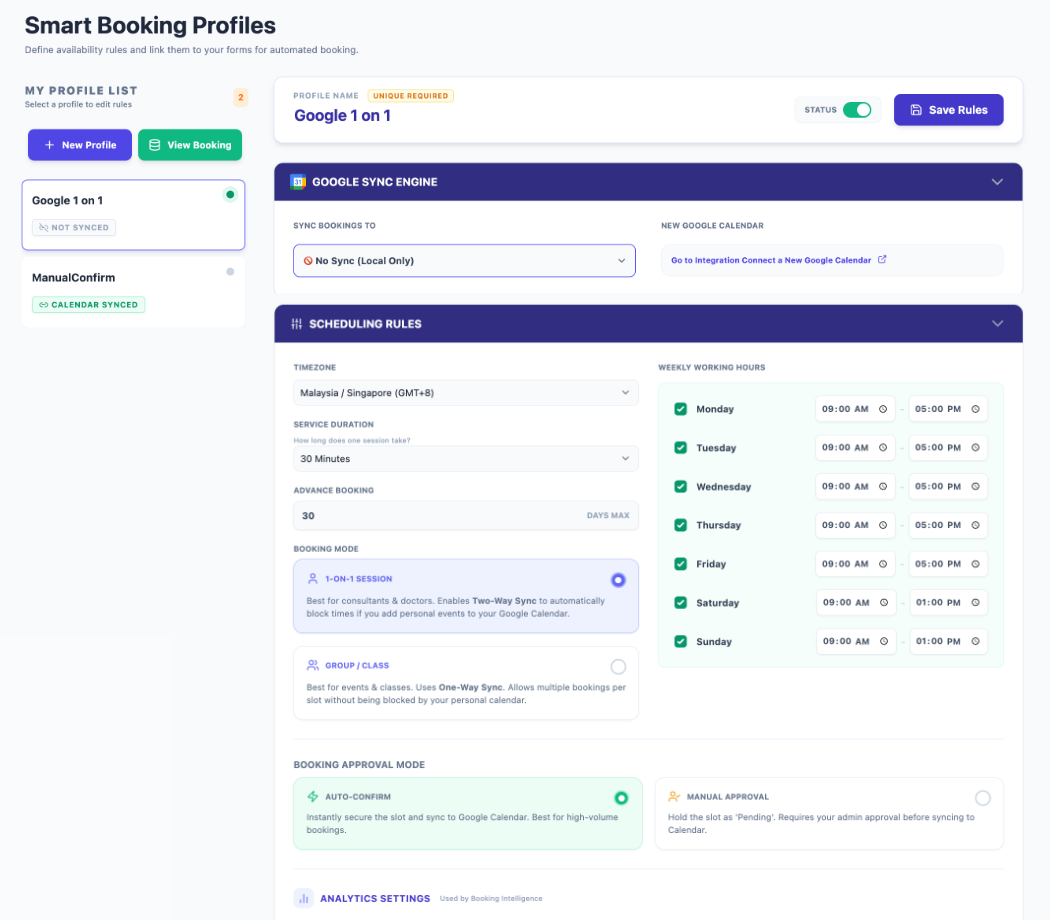
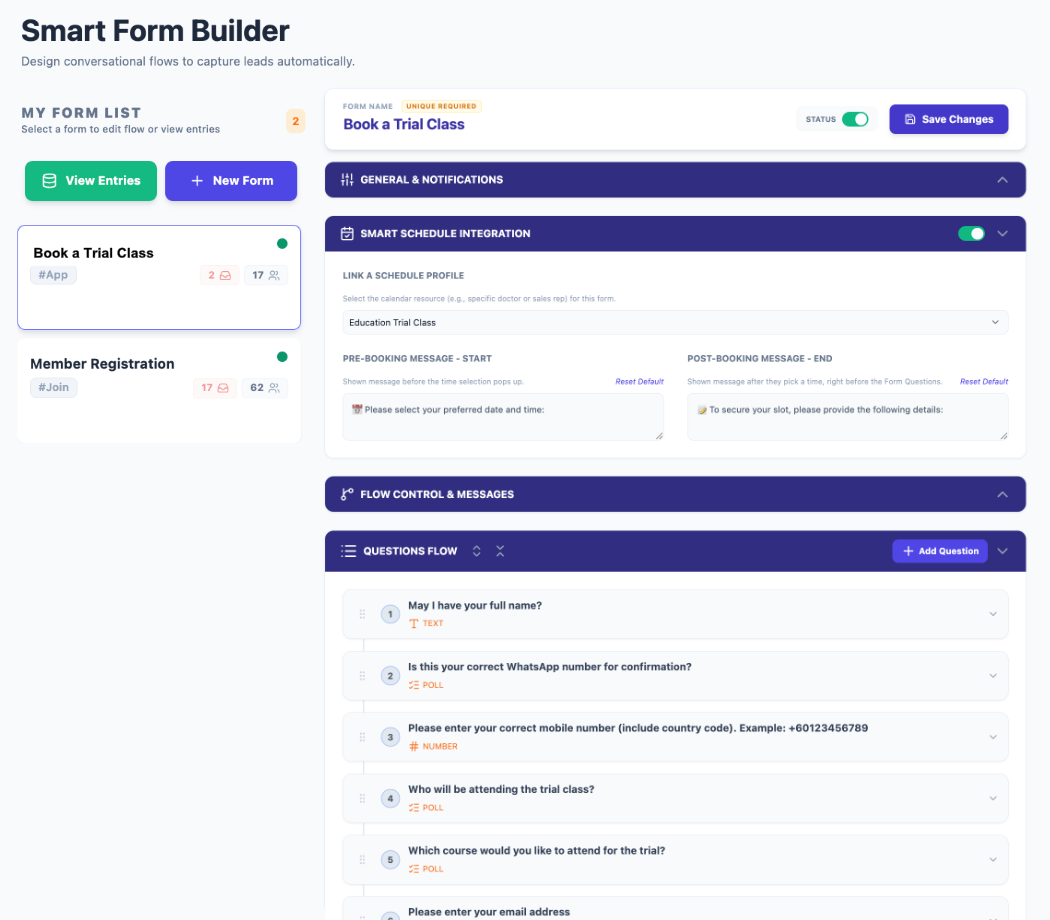
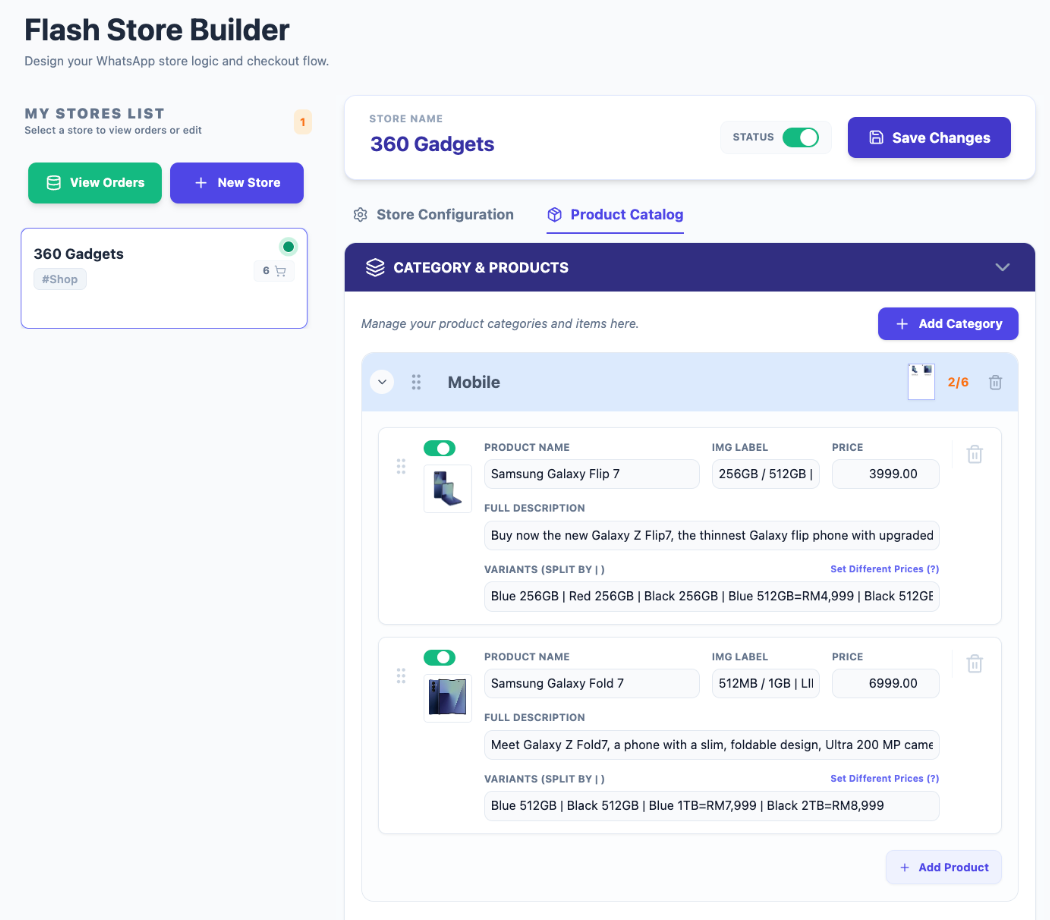
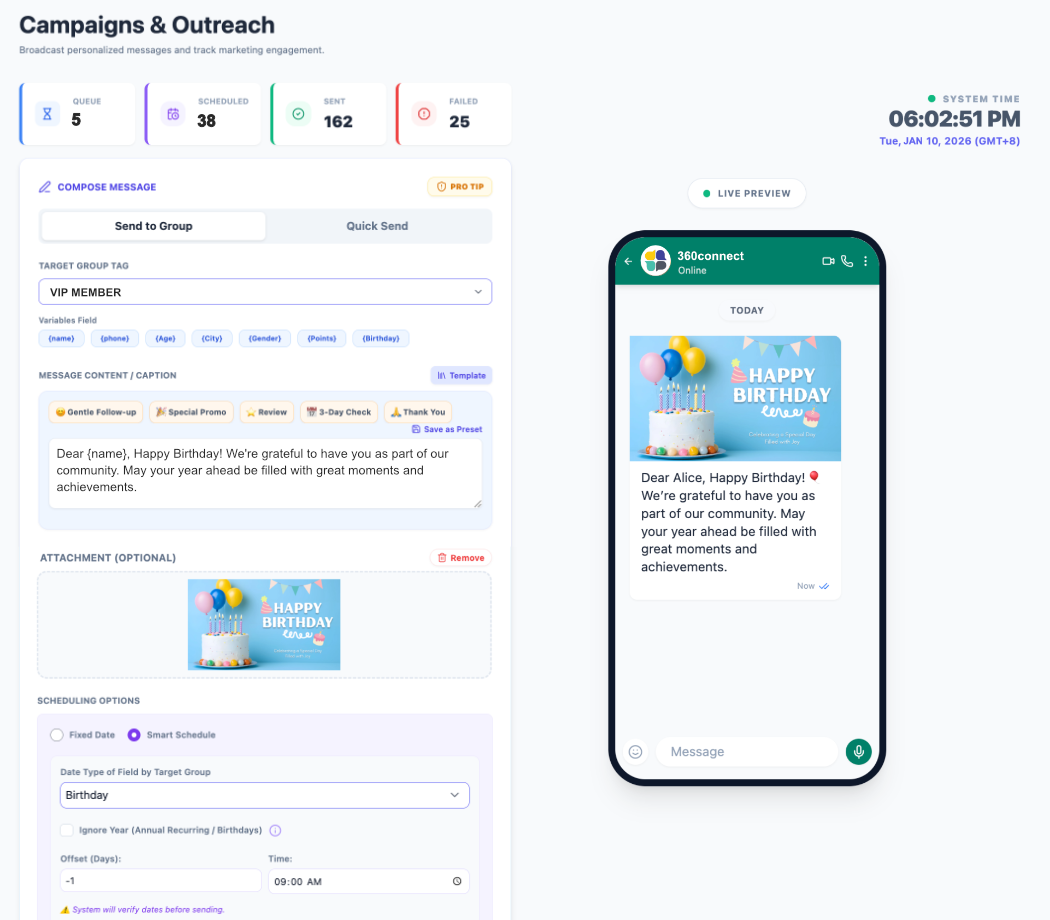
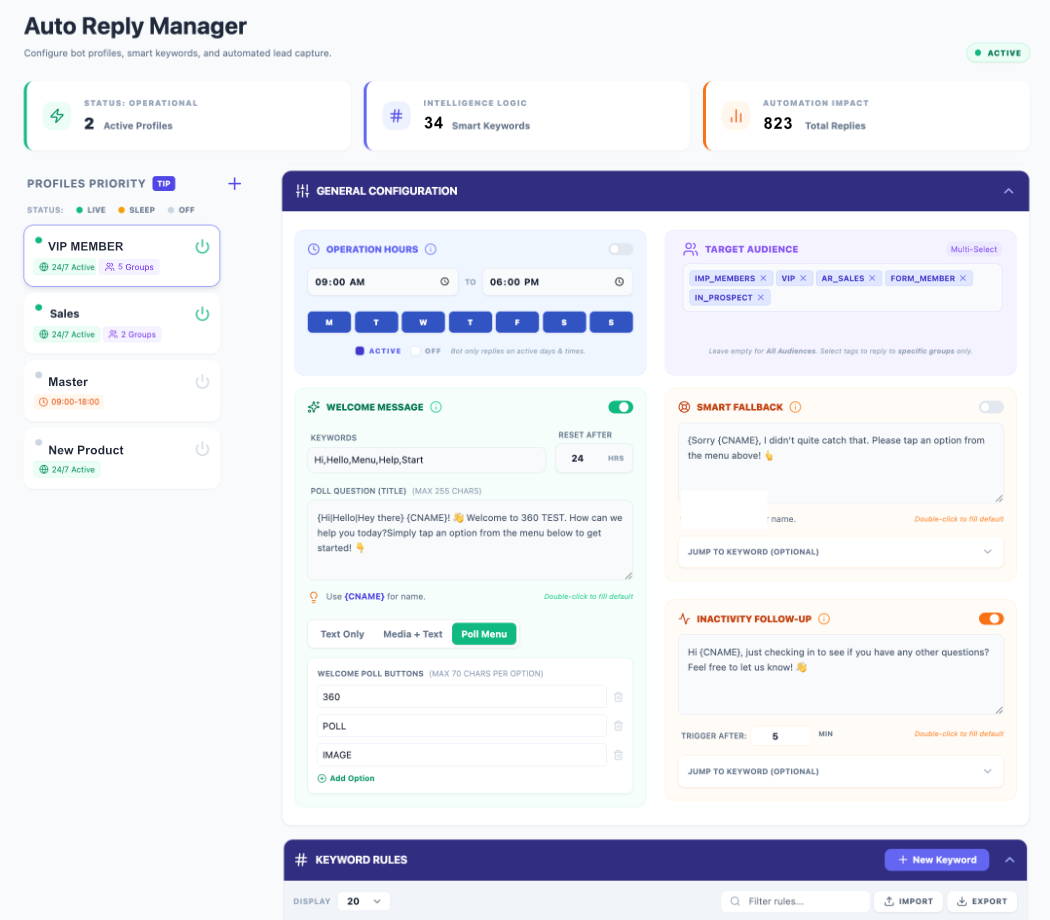
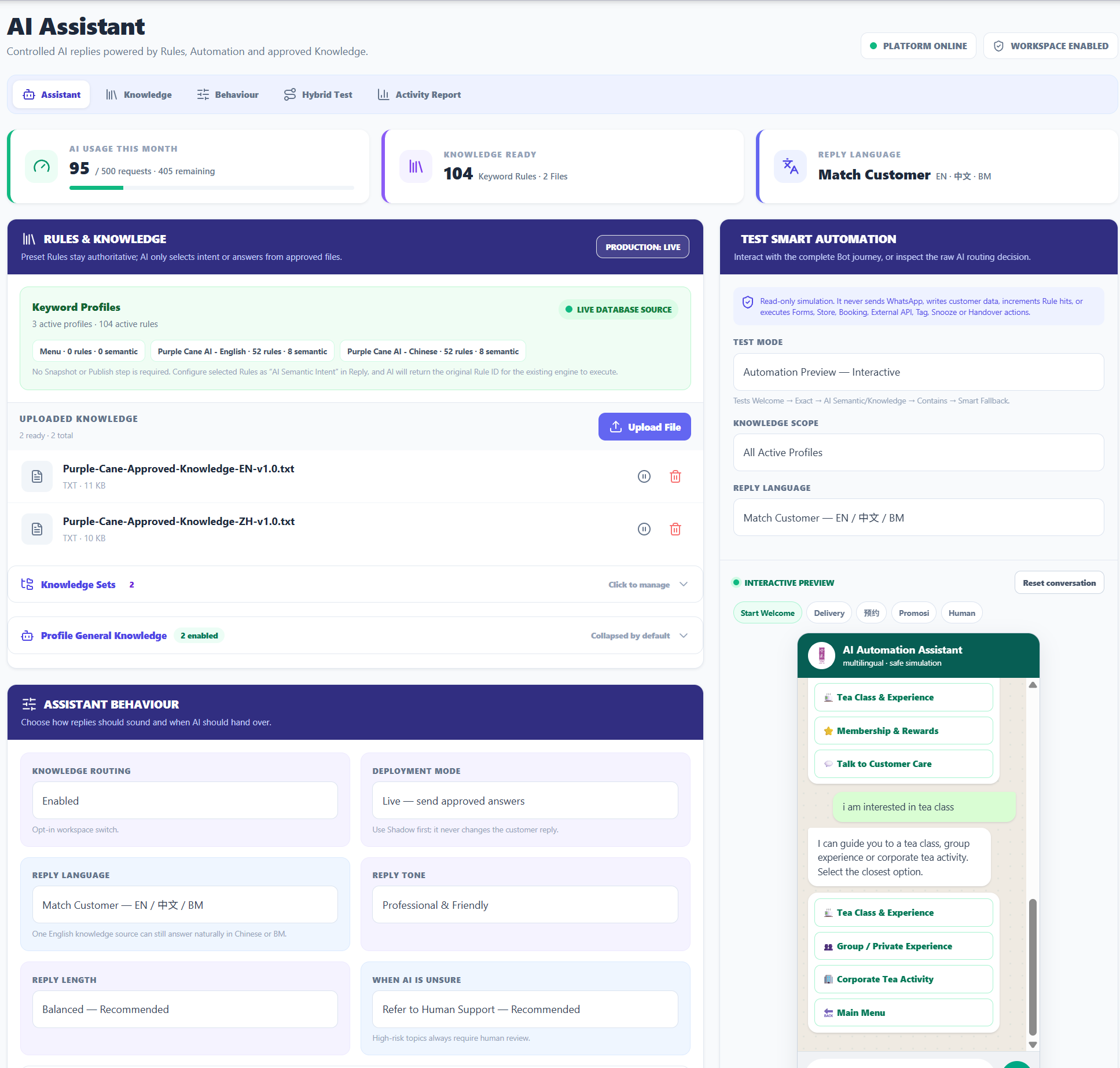
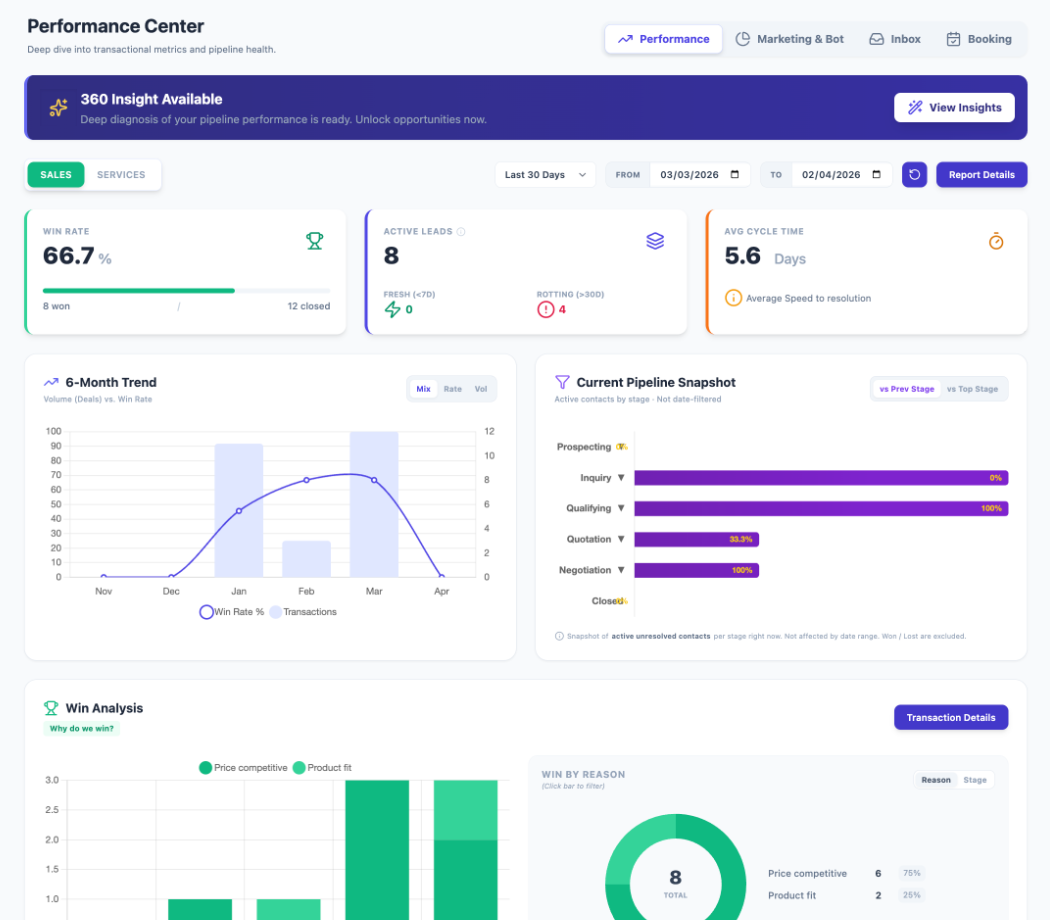
Turn one WhatsApp number into a multiplayer workspace for team collaboration.
You do not need to learn every feature. Tell us how your business actually works — we design and configure the workflow around it, so each customer message becomes a controlled answer, a handover or an approved workflow, with a visible owner and next action.
Customer message
“Hi, do you have a slot this Saturday? And how much for the full package?”
Answered from approved Knowledge
Package pricing — no invented numbers.
Approved booking workflow started
Saturday availability, prefilled from the conversation.
Owner assigned · next action visible
Your team sees who is responsible and what happens next.
The enquiry arrives on WhatsApp. Someone copies it into a spreadsheet, tells a colleague, puts the booking in a calendar, and remembers to follow up — or does not.
Nothing here is a software problem. It is a workflow that was never defined. We identify that broken workflow and configure 360connect to run it.
Where the work actually goes
Who replied? Who owns the next step? Shared chats lose leads when responsibility is unclear.
Different staff give different answers. Approved Rules and Knowledge keep customer communication aligned.
Processes live in people’s heads. Forms, bookings and follow-up depend on memory.
Customer intent, requirements, progress and AI decisions are difficult to see or audit.
You bring us the process, the problem or the outcome. We design the approved workflow, configure 360connect and keep it operating with your team. This is not a DIY tool you are left to assemble.
We map the real process: where it starts, who is involved, where it breaks, and what outcome you actually need.
We define the rules, the owner at each stage, handover points, response expectations and how the outcome is measured.
We assemble WhatsApp, approved Knowledge, Forms, Booking, Pipeline and any connected systems into one working operation.
We go live with your team, keep the approved workflow supported, and refine it as evidence comes in.
Scope is defined before we start. Each engagement covers one core workflow — one trigger, one main outcome, a defined set of rules, forms and connections, with a fixed review cycle. Additional workflows, advanced integrations and material process changes are scoped separately.
These are operating patterns, not industry packages. The same configured workflow serves very different businesses — which is why it can be delivered reliably rather than rebuilt from scratch each time.
Every enquiry gets qualified, assigned to an owner, tracked through a pipeline stage, and followed up on schedule — instead of relying on whoever saw the message first.
Used by: property, automotive, professional services, education, B2B sales
Booking, confirmation, reminders, rescheduling and no-show recovery run as one workflow, with the calendar and the conversation kept in step.
Used by: clinics, beauty, tuition centres, consultancies, repair services
Service requests are captured, routed to the right person, tracked to resolution and closed with a record — not left in a chat thread.
Used by: appliances, automotive, warranty, maintenance, customer support
Sign-up, confirmation, reminders and attendance tracking for events, classes and programmes, handled in the channel people already reply on.
Used by: exhibitions, events, courses, memberships, roadshows
Watch a quick introduction in English or Chinese to understand how 360connect turns WhatsApp chats into structured operations.
The interface designed for speed. No clunky CRM feels.
360connect provides the operational layer that connects conversations, people, records and systems. You do not need to choose between these — we assemble the parts your workflow needs.
Where your team works the conversation and owns the outcome.
AI that understands phrasing and language — but does not invent a price, a process or a business action.
Your existing systems stay in place. The workflow reaches them.
You do not have to adopt every module. We combine the relevant capabilities into one approved operation, while keeping enough platform depth for the workflow to expand later.
Turn one WhatsApp connection into a team workspace where conversations can be assigned, handed over and continued with visible responsibility.
Save customer context beyond the chat, including Custom Fields, tags, intent, requirements and an AI Customer Brief with next-action signals.
Manage sales opportunities and service cases through clear stages, SLA alerts, Nurture reviews, journey history and recorded outcomes.
Connect availability, capacity or group booking rules with Google Calendar, confirmations, reminders, rescheduling and attendance follow-up.
Capture structured intake, qualification, registration and supporting details, then route the completed record into the next approved action.
Use Flash Store, order records, payment-proof collection and verification stages to keep checkout and fulfilment cleaner than an unstructured chat.
Build qualified audiences, review the message, then deliver through configured sending windows, daily allowances and paced queues. Delivery status stays visible while Rules, Bot Profiles and follow-up logic continue the playbook.
Triage daily work, monitor SLA and pending records, review pipeline and booking quality, inspect AI activity and export historical reports.
Connect websites, calendars, CRMs, proposal systems and internal applications through APIs, webhooks or external automation platforms to start actions, receive completed records and keep operational data moving.
Explore Integration LayerEach workflow defines its operational stages and the indicators your team will track. This establishes a clear baseline so future improvement can be measured rather than assumed.
Before
Enquiries forwarded by hand, with no clear owner.
Configured
Qualification → owner assigned → pipeline stage → scheduled follow-up.
Metrics tracked
Owner assignment time, overdue follow-ups, stage completion.
Before
Bookings in a calendar, reminders sent manually when someone remembered.
Configured
Booking → confirmation → reminder → reschedule or no-show recovery.
Metrics tracked
Confirmation rate, reminder delivery, no-show and reschedule counts.
Before
Sign-ups collected in a form, attendance reconciled after the event.
Configured
Registration → confirmation → reminder → attendance status recorded.
Metrics tracked
Registration completion, reminder reach, attendance rate.
Every configured workflow includes a human checkpoint: nothing that affects a customer commitment is changed without your team’s approval.
Every industry has its operational friction. We structure specific workflows to turn that complexity into clearer, repeatable business operations. Find the operating model closest to your business below.
Not sure where to start?
Start with the 360connect Proposal. It explains the Connector Core, operational workflows, plans and the next step toward a workflow designed around your business.
360connect is the workflow and operations layer of the 360 Marketing infrastructure — connecting enquiries, customer actions, follow-up, campaign operations and business systems into structured workflows that teams can continue, track and improve.
Nationwide offline distribution. We combine physical flyers with auditory scan-to-win triggers.
Gamified landing pages where your Sonic Hook provides the dopamine hit to boost lead capture rates.

90-day campaign pages that turn QR visits, shared links and local attention into actions, leads and WhatsApp-ready enquiries for 360connect to follow up.
Hook jingles people remember — and act on. A brand recall layer that amplifies campaigns across offline and digital.
Need a fully integrated campaign from hook to closing? Speak to our strategists.
Advance and Pro are monthly platform subscriptions. After we review your workflow we recommend the plan it actually needs - you upgrade only when your team, connections or integration requirements grow.
Most businesses start here
2 Connections + Integration Hub
Need a larger or more complex deployment? Additional users, WhatsApp lines, integrations and implementation scope can be quoted separately. Request Proposal
Standard workflow setup may be included with eligible annual plans, subject to scope review. Advanced integrations and custom development are scoped separately.
Monthly support keeps the platform and your approved workflow operating. New workflows, advanced integrations and material process changes may be scoped separately.
Request the 360connect Proposal to understand the Connector Core, operational workflows, available plans and how the platform can connect conversations, people and systems. If the fit is right, the Proposal will guide you to the Personalized Workflow stage.
No. We first review the process you want to improve, then configure the relevant tools, rules and handovers around your approved workflow.
In most supported setups, you can continue using your existing number. The suitable connection method will be confirmed during onboarding based on your account and operating requirements.
Standard onboarding is included. Eligible annual plans may also include one standard starter workflow after scope review. Advanced integrations or custom development are quoted separately.
Quick Connect has no separate 360connect per-message software fee. Official API, provider or AI Processing Credit charges may apply depending on the selected setup.
Start directly in WhatsApp, or use the web form and choose WhatsApp or Email delivery.
Open WhatsApp with one prepared message. The 360connect proposal flow can continue from there.
Get Proposal on WhatsAppPrefill: “Hi 360connect. I would like to request the proposal.”
Level 41, Vista Tower, The Intermark,
348 Jalan Tun Razak, 50400 Kuala Lumpur.
Complete the form and choose WhatsApp or Email delivery. You can also use this form for a general enquiry.